






Introduction
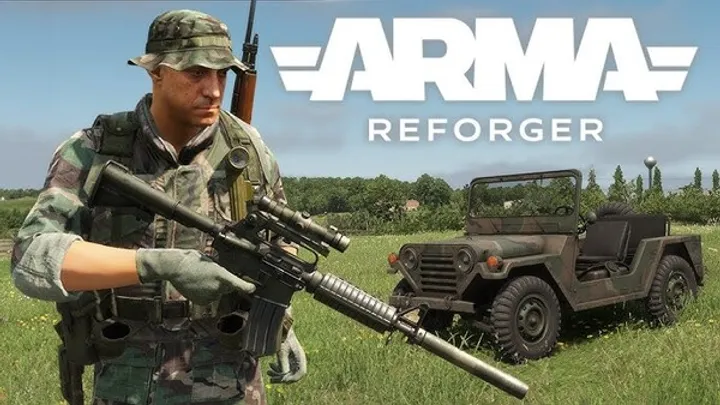
Arma Reforger is often discussed in terms of realism, factions, factions, weapon handling, and the “feel” of combat. But the most consequential day-to-day experience for many server admins and squads isn’t about gunplay at all—it’s about whether the server stays stable when the mission turns into a battlefield. The issue I want to address here is performance collapse on dedicated servers triggered by the combined pressure of AI simulation load and physics/interaction saturation during heavy firefights, vehicle use, and dense object scenes.
What makes this problem “specific” (and not generic) is that it presents with recognizable failure modes: AI stops behaving correctly before players notice stutters, tick rate degradation arrives in waves, and the server eventually enters a state where the mission continues “but effectively breaks”—aiming becomes delayed, magazine interactions lag, vehicles become unstable, and firefights start to look temporally scrambled. Even when users describe it vaguely as “lag,” server logs and reproducible mission behavior reveal a deeper coupling: AI update cost increases the longer the battlefield persists, while physics and network replication costs spike when players create large numbers of interacting entities.
This article explains the failure chain in concrete terms, then lays out a methodology to prove causality, not just speculate. The goal is to help you reason about Reforger performance like an engineer: observe, isolate, measure, and change one variable at a time.
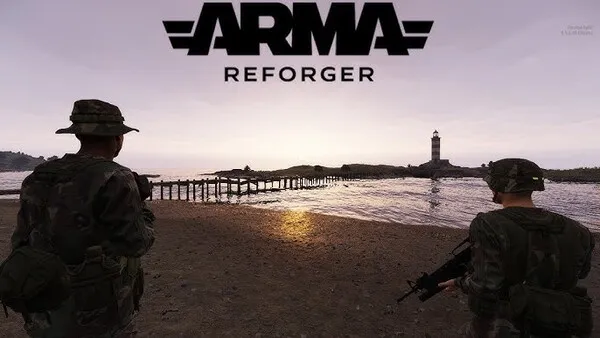
When the server “looks fine” but the AI is already falling behind
At the beginning of performance collapse, what players often experience is not a dramatic drop in FPS. Instead, you see subtle behavioral desynchronization: AI seems slower to react, the “edge” of engagements becomes less crisp, and flanking behavior looks indecisive. On dedicated servers, this happens because AI simulation consumes deterministic server time, and when the server time budget is exceeded, later systems miss updates and run late.
The key is that AI load often increases before physics-related issues become obvious. Why? Because AI behavior (pathing, target evaluation, line-of-sight checks, decision-making loops) can become more expensive in situations where the battlefield expands vertically and horizontally—especially when players force AI into new cover lines with vehicles, smoke, destruction, and rapidly changing sightlines.
What this looks like to a squad
- AI units stop pushing at the same time.
- Suppression effects appear delayed or inconsistent.
- Units fail to reposition in sync with player movement.
- Combat “feels like it’s fighting itself,” not like a coherent battle.
The moment physics interactions begin to amplify replication and server cost
After AI begins to lag, physics tends to become the multiplier. The collapse pattern becomes stronger when players start generating lots of interactive physics objects: vehicles colliding repeatedly, doors/windows being used and re-used, bodies and gear piles building up, and objects being moved or thrown (depending on mission rules). Each interaction costs server time and increases the amount of state that must be synchronized.
This is where many “lag” reports originate. From the player perspective, they might say: “The server is laggy now.” But from the server’s perspective, the change is usually not merely network congestion—it’s server simulation time budget failure that indirectly looks like network problems.
The crucial detail: physics saturation and AI load are not independent. When the server is behind, physics resolution and constraint solving can become less timely. When physics becomes less timely, objects may remain in unstable configurations longer—meaning more corrections, more collisions, more replication churn. In other words, physics instability can keep AI and physics systems in a feedback loop: AI agents are affected by the battlefield state; physics state keeps changing or resolving; both require server time.
In Reforger missions, physics cost often spikes when:
- Multiple vehicles operate simultaneously in tight terrain.
- Players create repeated collisions (ramming, reversing into cover, hitting clutter).
- Smoke and obscuration cause longer engagements with more target switching.
- Destruction creates more objects and fragments that persist.
- Bodies and dropped gear create larger collision/interaction areas.
How to reproduce the collapse on purpose (so you can actually debug it)
To fix performance collapse, you need an experiment. The mistake most communities make is changing too many things at once: settings, mods, mission scripts, player count, weather, and AI count simultaneously. That produces contradictory evidence and makes the culprit ambiguous. Instead, build a reproducible scenario that reliably triggers collapse.
A good reproducible test involves:
- Stable mission baseline (same map, same objective flow, same base equipment).
- Controlled AI count (start with low, then increase).
- Controlled “physics pressure” (start with vehicle-free tests, then add vehicles and controlled collisions).
You want collapse to occur consistently at roughly the same mission time (e.g., 15–25 minutes after first major contact). Consistency is your proof that you’re dealing with a deterministic performance ceiling rather than “random server issues.”
If collapse doesn’t reproduce reliably, your debugging data becomes noise. So: run the same mission segment repeatedly, ideally from a similar starting state. If your mission includes dynamic spawning, ensure your spawn rules don’t add extra variability. The goal is not to find the “fastest worst case,” but to find the deterministic trigger window where time budget is exceeded.
A concrete staged reproduction plan
- Stage A: Low AI (minimal patrols/guards), no vehicle operations.
- Stage B: Add more AI groups, keep vehicles off-limits.
- Stage C: Allow vehicles but restrict to single-car use with long intervals.
- Stage D: Permit vehicle combat with at least two vehicles engaging.
- Stage E: Enable chaos: multiple vehicles + prolonged firefight duration + dense clutter.
Proving causality with “one variable at a time” measurements
Once you can reproduce collapse, you can test hypotheses. The most common flawed reasoning is assuming that stutter equals network issues. In Reforger performance collapse scenarios, you should test whether the stutter correlates with AI density and physics interaction frequency rather than simply player ping or bandwidth.
The practical way to do this is to measure changes in controlled experiments: keep player count constant, keep mod sets constant, keep map constant, then change only AI density and later physics pressure. Your expectation is a strong correlation:
- Increasing AI should shift the collapse onset earlier.
- Increasing physics pressure should steepen the rate of degradation once collapse begins.
When you analyze results, look for the sequence: AI behavioral degradation first, then physics instability and replication churn. If you see AI degrade before obvious physics symptoms, it supports the model that simulation time pressure starts in AI loops and then expands. If the opposite happens, you likely have a physics-only trigger (e.g., persistent collision storms or script-spawned object floods) that overwhelms the server regardless of AI.
Debugging checkpoints
- Time-to-collapse: minutes until “battlefield breaks.”
- AI coherence metrics: do squads lose formation consistently at the same time window?
- Vehicle control stability: do steering/position updates worsen after AI starts lagging?
- Object persistence: do clutter piles grow faster near collapse onset?
Add a qualitative “battlefield health” score
Create a simple subjective score for each run:
- Green: AI pushes, vehicles behave, engagements feel normal.
- Yellow: AI hesitates, stutters appear, vehicle interactions become inconsistent.
- Red: AI stops acting coherently, physics feels unstable, firefights desync.
Then correlate the score with how long the run lasted and what you changed.
Dedicated server settings and mission design patterns that worsen (or delay) collapse
Not every server configuration produces the same failure threshold. Some communities discover that increasing tick-related configuration (or switching performance modes) sometimes shifts collapse behavior. But the deeper issue is usually mission and simulation structure: even if two servers have different raw CPU, the mission can still push one system into a worst-case pattern.
In Reforger, mission design can create “infinite work” situations:
- Large AI groups with expensive decision logic.
- Long-lasting engagements where AI continuously retargets.
- Dense object environments where physics collisions do not settle.
- Script loops that spawn or update too frequently during ongoing combat.
If your mission has an objective script that constantly updates or spawns additional entities in response to player activity, you may accidentally create a scaling problem: as players remain in combat for longer, the server does more and more work. This creates a “battle length penalty”—the longer the fight, the worse it gets, until the server hits a tipping point.
Patterns that commonly worsen collapse
- “Always-on” AI logic that continues regardless of battlefield state.
- Spawning reinforcement waves too frequently.
- Leaving vehicle combat enabled without cleanup or despawn logic.
- Persistent clutter from repeated firefights.
- No cap on active entities (AI count, physics objects, loot piles).
Patterns that delay collapse
- Reduce the number of simultaneously active AI.
- Use “phase” logic: AI becomes simpler after objectives are achieved.
- Restrict vehicles or enforce spacing rules.
- Add despawn/cleanup systems for objects that no longer matter.
- Design objectives to end combat sooner (or relocate it).
Understanding “AI + physics feedback loops” at the battlefield level
A key reason collapse becomes dramatic late in a mission is not only that each system is expensive—it’s that they interact. Consider an AI agent seeking cover:
- If physics objects are unstable, cover points may behave differently over time.
- If vehicles collide or reposition unpredictably, the tactical situation changes.
- If bodies and clutter persist, line-of-sight queries might hit more obstacles, changing AI evaluation.
Now combine that with server time pressure:
- When the server is behind, AI decision loops run late.
- Late decisions increase “target thrashing” (AI reacts to states that are already outdated).
- Target thrashing increases calculations and weapon switching.
- More weapon switching and firing increases new physics events (impacts, projectiles, interactions).
The result is a battlefield feedback loop where the server is trying to simulate a rapidly changing scene that it cannot stabilize.
This is why naive solutions like “reduce player count” sometimes help but don’t solve the root. Even with fewer players, the battlefield can still create the same interaction storm if AI count and physics density are high enough. Likewise, lowering AI count might help but still collapse if the physics interaction pattern is extreme (e.g., constant vehicle collisions in cramped terrain).
A telltale sign of a feedback loop
If you observe that collapse accelerates after a certain event—like a vehicle pile-up or a particular firefight lasting beyond a threshold—you likely triggered a loop rather than a simple linear overload.
Practical countermeasures: mission rules, entity caps, and “battle hygiene”
Once you know collapse is AI + physics saturation, your countermeasures must target both. You can’t treat it as only AI tuning or only “performance settings.” You need mission hygiene that prevents the battlefield from becoming an endless object generator.
Start with entity caps and phased logic. Reforger servers can remain stable longer if you ensure that:
- AI groups are limited or reduced after early objectives.
- Vehicle combat is not continuous at high density.
- Clutter is cleaned up or made non-interactive after a short time window.
- Reinforcement spawns are throttled.
Even simple mission logic can transform failure behavior. For example, if you insert a rule: “After objective A is completed, remove the vehicle spawn and despawn unused wrecks after 10 minutes,” you’re directly cutting physics persistence and collision churn. Similarly, if you reduce AI “active thinking” radius once players move away, you decrease the AI decision cost during the critical time window when players are deep into combat.
A “battle hygiene” checklist
- AI caps: maximum concurrently active AI in the engagement zone.
- Retarget control: prevent constant re-evaluation loops when targets remain unchanged.
- Vehicle rules: limit simultaneous vehicles and enforce cooldowns.
- Object cleanup: despawn dropped gear piles or convert them to non-collidable terrain clutter after X minutes.
- Smoke discipline: avoid continuous smoke spam that prolongs engagements and target switching.
- Reinforcement throttling: cap how many new spawns can occur per time window.
Include one “controlled chaos” scenario
Not every mission needs to be optimized for stability at all times. But having a scenario where the mission intentionally explores worst-case helps validate that your changes actually shift the collapse onset—not just hide it.
Admin workflow: diagnosing collapse during live gameplay
Many server admins cannot run repeated controlled experiments during real events. So you need a live workflow that helps you identify what category of overload you’re seeing.
The most useful live diagnosis approach is observational correlation:
- Does AI behavior degrade first?
- Do vehicle controls become unreliable second?
- Do stutters come in bursts after specific battlefield events?
- Does it worsen after certain objectives start?
Even without deep profiling tools, pattern observation can direct your tuning. If collapse consistently follows AI engagement expansions, you should focus on AI caps and AI logic phases. If collapse follows vehicle pile-ups, focus on collision density and wreck persistence. If collapse follows repeated loot/object interactions, focus on clutter and cleanup rules.
Additionally, you should keep a “run log” even if it’s simple. Record:
- Server hardware and location (approx).
- Mission version and mod list.
- Player count.
- Approx time into mission when degradation started.
- What triggered it (e.g., “after the second vehicle wave,” “after bridge firefight,” “after smoke push”).
Over time, your data becomes a map of your server’s thresholds.
Live run log template
- Date:
- Mission:
- Mods:
- Player count:
- AI count at start:
- Vehicles allowed:
- Start time of collapse:
- Trigger event:
- Severity (Green/Yellow/Red):
Common myths that waste debugging time (and what to do instead)
One myth is: “It’s just network lag.” Network problems matter, but performance collapse in Reforger dedicated servers often appears as simulation time budget failure—meaning it can happen even with good ping. If the collapse onset correlates with extended combat and entity density, it’s likely server simulation cost, not just network.
Another myth is: “It’s only AI.” AI can be the origin, but physics and object interaction can convert an AI problem into a server-wide cascade. Conversely, it’s also possible that physics is the origin and AI simply experiences consequences (e.g., line-of-sight hits more obstacles due to clutter).
A third myth is: “If we lower settings, it will always fix it.” Lowering settings can help, but it may not address the core scaling relationship in your mission. If the mission continues to spawn new work (AI reinforcements, object persistence, repeated physics interactions), lowering visuals or some client-side effects won’t prevent server-side simulation overload.
What to do instead
- Build reproducible tests.
- Isolate AI density vs physics pressure.
- Add mission hygiene to prevent persistent high-cost states.
- Use phased logic rather than “everything always active.”
- Track collapse time-to-failure after each change.
A stability strategy that scales: design for “long battles,” not just clean starts
The biggest conceptual shift in managing Arma Reforger servers is to design for time as a resource. Your server doesn’t just simulate “the present.” It simulates the battlefield state accumulated over time. If your mission creates an ever-growing state—more AI, more physics interactions, more clutter, more persistent objects—then eventually the server will hit a ceiling.
So the stability strategy should be:
- Keep early gameplay fun and dense, but
- Ensure later gameplay becomes simpler: fewer active AI, fewer physics interactions, and less persistent clutter.
This is how you make your server resilient to the most common real-world failure: players staying in combat longer than the script authors assumed.
A well-designed stability strategy doesn’t eliminate tension; it channels tension into a controlled workload. You can keep firefights intense while ensuring the mission doesn’t allow the battlefield to become unbounded computationally. The result is not “less Arma.” It’s more consistent Arma—where tactics remain tactics instead of turning into lag-induced randomness.
Final deployment checklist
- Confirm AI caps in engagement zones.
- Add despawn/cleanup for clutter and wrecks.
- Throttle reinforcements.
- Validate stability across at least 3 runs with the same mission segment.
- Record time-to-collapse and compare before/after changes.
Conclusion
Arma Reforger dedicated server performance collapse is often mischaracterized as generic “lag,” but when you study the battlefield as a simulation system, the pattern becomes concrete: AI simulation load tends to degrade behavior first, then physics and interaction persistence amplify the workload, and together they create feedback loops that push the server past its time budget. The most effective fix is not one setting—it’s an engineering-style debugging process paired with mission design that prevents the battlefield from becoming an unbounded source of entities and interactions over time.
If you can reproduce the collapse, isolate AI vs physics pressure, and implement mission hygiene (caps, phased logic, cleanup, and throttled spawns), you don’t just improve performance—you preserve the integrity of gameplay. Battles remain tactical, AI remains coherent, vehicles behave predictably, and stutters stop being the “random tax” that decides how the night ends.